
Beautiful Travel Content Takes Weeks to Produce — Or It Used To
Ask any travel or restaurant content creator about their production workflow and you will hear a consistent story: the trip takes a week, the photography takes another week to cull and edit, the hero images for the guide take another round of editing, and by the time the content is published, the moment has already passed its peak relevance window. For home design guides, the challenge is different but equally frustrating — sourcing the right imagery to illustrate a design concept without infringing photographer rights or paying premium stock licensing fees.
The traditional production model for travel, restaurant, and home design content is slow, expensive, and increasingly misaligned with the pace at which audiences expect fresh content. AI image generation offers a fundamentally different approach — one that compresses the production timeline without sacrificing visual quality.
Why AI Image Quality Has Finally Caught Up with Editorial Standards
The criticism that AI-generated imagery looks artificial and is unsuitable for editorial use was valid for earlier generations of tools. It is no longer an accurate description of what current platforms produce. The gap between AI-generated and professionally photographed imagery has narrowed to the point where the distinction is often imperceptible for the content formats used in travel guides, restaurant reviews, and home design features.

GPT Image 2, available through Pollo AI, generates 4K commercial-quality images in approximately three seconds with pixel-level editing precision. Its text rendering is accurate — a persistent weakness of earlier AI image systems — and its photorealistic output avoids the visual hallucinations and compositional inconsistencies that made previous tools unsuitable for professional editorial use. For travel and restaurant content creators who need imagery that meets publication standards without a photography budget, this represents a genuine inflection point.
The Specific Visual Needs of Travel, Restaurant, and Home Design Content
Travel Content
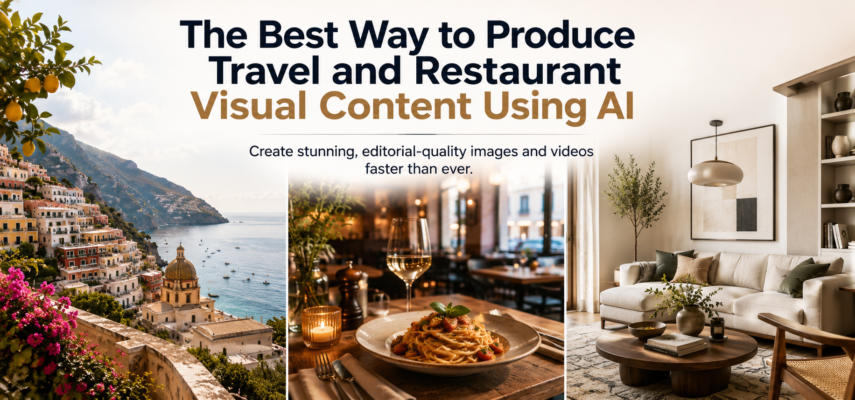
Travel guides need imagery that communicates the character of a place — the quality of light at a specific time of day, the texture of a landscape, the visual energy of a city street. These images need to feel authentic and evocative, not generic, or stock-like. AI generation with specific, location-informed prompts can produce imagery that captures the essence of a destination without requiring the creator to have photographed it personally.
Restaurant and Food Content
Restaurant guides need images that communicate atmosphere, food quality, and the dining experience. The challenge is producing imagery that feels editorial rather than promotional — images that a reader would trust as an honest representation of what to expect. AI-generated restaurant imagery, when prompted with specific details about cuisine style, interior aesthetic, and dining occasion, can meet this standard effectively.
Home Design Content
Home design guides need aspirational imagery that illustrates specific design concepts, color palettes, furniture arrangements, and stylistic approaches. This is one of the strongest use cases for AI image generation — the ability to generate a room that illustrates a specific design principle, in a specific style, with a specific color palette, on demand and without licensing complications.
Step-by-Step: Building a Visual Content Workflow for a Travel or Design Guide
Step 1 — Create a Visual Brief for Each Content Piece
Before generating any imagery, develop a visual brief that defines the subject, the visual style, the mood, the lighting approach, and the specific details that need to be communicated. For a restaurant guide entry, this might specify the cuisine type, the interior style, the time of day, the dining occasion, and the emotional tone. For a home design feature, it might specify the design style, the color palette, the key furniture pieces, and the light quality.
Step 2 — Use GPT Image 2 for Hero and Feature Images

Navigate to the GPT Image 2 interface within Pollo AI and write a detailed prompt based on your visual brief. The platform’s instruction-following accuracy means that specific, well-structured prompts produce output that closely matches the intended visual. For travel content, include geographical and atmospheric specificity — the particular quality of Mediterranean afternoon light is different from the quality of Scandinavian winter light, and your prompt should reflect this.
Generate multiple variations and curate the strongest output. The localized editing feature allows you to refine specific elements — adjusting the color of a wall, the arrangement of objects on a table, the intensity of ambient light — without regenerating the entire image.
Step 3 — Develop a Consistent Visual Identity Across Your Guide
The most effective travel and design guides have a recognizable visual aesthetic that readers associate with the brand. Develop a set of standard style descriptors — characteristic lighting approaches, color palette preferences, compositional tendencies — and apply them consistently across all your AI-generated imagery. This creates visual coherence across your content without requiring every image to be shot by the same photographer.
Step 4 — Extend Into Video for Social Distribution
Static imagery drives engagement on the guide itself, but video content drives discovery through social channels. Converting your strongest guide imagery into short-form video content for Facebook and Instagram extends your reach significantly.

The Facebook Video Maker capabilities within Pollo AI allow travel and lifestyle content creators to convert existing photography into platform-optimized video content and Reels without complex editing tools. The platform’s AI virtual presenter feature enables rapid content creation that keeps pace with platform trends, and the mobile-first output format ensures your video content performs well on the devices where your audience discovers new content. For a travel guide that wants to maintain an active social video presence without a dedicated video production resource, this is a practical, efficient solution.
Step 5 — Build a Content Library for Future Use
As you develop your AI image generation workflow, build a library of your strongest prompts and the visual approaches that produce the best results for your specific content categories. This prompt library becomes a production asset — reducing the time required to generate strong imagery for future content and ensuring visual consistency as your guide grows.
Advanced Applications: Home Design Visualization
Home design content has a specific AI image generation use case that deserves particular attention: concept visualization. Rather than sourcing stock imagery to illustrate a design concept, AI generation allows you to produce imagery that illustrates the exact concept you are describing — the specific combination of materials, colors, furniture styles, and lighting conditions that defines the design approach you are recommending.
This capability transforms the relationship between your written content and your visual content. Instead of finding an image that approximately illustrates your point, you generate an image that precisely illustrates it. The result is a tighter, more coherent editorial product that communicates design concepts more effectively and builds stronger reader trust.
Frequently Asked Questions
1. Is AI-generated imagery appropriate for editorial travel and restaurant content?
Yes, provided it is used responsibly. AI-generated imagery is appropriate for illustrative purposes — communicating with the character of a place, the atmosphere of a restaurant, or the aesthetic of a design approach. It should not be used to misrepresent specific real-world locations or establishments in ways that could mislead readers.
2. How do I ensure AI-generated home design images look realistic rather than staged?
Include specific imperfections and lived-in detail in your prompts. Real interiors have books with creased spines, plants in various states of health, and light that falls unevenly. Including these details in your prompt produces imagery that feels authentic rather than artificially perfect.
Conclusion: Produce More, Better Visual Content — Without the Production Timeline
The traditional production model for travel, restaurant, and home design content is being replaced by a faster, more flexible approach that does not sacrifice visual quality. AI image generation — applied with clear creative direction and consistent visual standards — allows content creators in these categories to produce editorial-quality imagery at a pace that matches the speed of modern content consumption.
Start with your next guide entry. Write a detailed visual brief, generate your hero image using GPT Image 2 through Pollo AI, curate and refine the output, and measure the impact on reader engagement. The production timeline you have been working with is longer than it needs to be.


