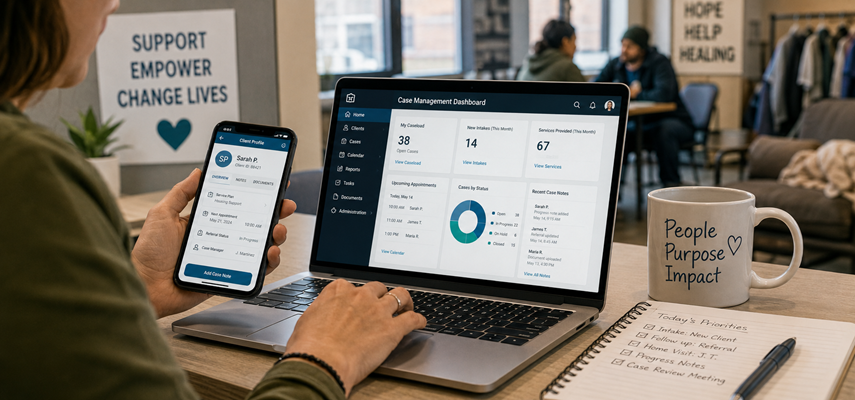
Nonprofit case managers juggle dozens of open files, each with different service plans, referral statuses, and documentation deadlines. A platform that looks impressive in a sales demo can fall apart when field workers try to use it from a parked car or a crowded shelter lobby. Many organizations rush into software decisions based on feature lists rather than on how those features perform during actual client interactions. This article delivers practical tips for finding a system that matches the messy, mobile, and people-focused reality of nonprofit program work.
Start with the Daily Documentation Habits of Staff
The best software in the world fails when case managers refuse to log into it after the first training session. Organizations evaluating nonprofit case management software should first observe how staff currently document client interactions and manage case records. Some workers prefer typing long narrative notes, while others want checkbox-style forms they can finish in under two minutes.
A platform that forces everyone into the same rigid documentation style will create secret workarounds and shadow spreadsheets. Case management software should adapt to different documentation preferences across the same team without breaking data integrity. Testing a platform with three different staff members for a full week reveals far more than any scripted vendor demonstration ever could.
Test Mobile Functionality in Real Field Conditions
Many vendors claim their product works on phones, but real-world testing tells a different story when signal drops or screens freeze. A case manager standing outside a homeless shelter needs the application to load client histories within seconds, not minutes. Taking a trial version into actual field locations exposes slow load times, broken buttons, or forms that do not fit on a small screen.
The system should allow workers to start a case note offline and sync it automatically when the signal returns to the area. Nonprofit case management software that requires constant, high-speed internet becomes useless in basements, rural roads, or buildings with thick concrete walls. Field staff should drive the mobile testing process because they know exactly where the dead zones hide in their daily routes.
Verify Data Security Protections Before Signing
Nonprofits store some of the most sensitive information imaginable, including mental health diagnoses, trauma histories, and legal involvement details. A data breach from a stolen laptop or compromised password can destroy client trust and shutter an entire program permanently. Prospective buyers must ask vendors directly about encryption standards, access logs, and breach notification procedures before signing any contract.
The platform should offer role-based permissions so a volunteer receptionist sees only appointment schedules while a supervisor views complete case histories. Regular security audits and HIPAA compliance certifications provide basic protection, but ask also about SOC2 reports and third-party penetration testing. Organizations serving survivors of violence or individuals experiencing substance use disorders cannot afford to prioritize convenience over ironclad data safeguards.
Evaluate Reporting Tools for Program Insights
Program directors need clean data exports for board meetings, program evaluations, and outcome measurements that prove service effectiveness. A reporting dashboard should let a manager pull client counts by zip code, service types delivered last month, or average time from intake to first appointment. The platform must allow custom report building without requiring a data science degree or waiting for vendor assistance.
Drag and drop interfaces with filter options give program leads the flexibility to answer unexpected questions from stakeholders. The best reporting tools make it easy to explore client outcomes, referral activity, and service trends without requiring advanced technical expertise. The goal is a simple, fast reporting engine that puts raw numbers into the director’s hands within sixty seconds of asking a question.
Evaluate Offline Capabilities for Disaster Scenarios
Natural disasters, power outages, or facility evacuations can cut internet access for hours or days at the worst possible moments. A platform that stops working completely without WiFi leaves case managers unable to access client emergency contacts, medication lists, or service histories. The system should cache recent client data locally on each device so staff can view essential information during network interruptions.
Offline-created notes need to queue up and synchronize automatically once connectivity returns without duplicate entries or data loss. Ask vendors to demonstrate exactly how their offline mode works by disconnecting a device during a live demo session. Organizations in hurricane zones, wildfire areas, or regions with unreliable broadband cannot gamble on cloud-only systems that have no fallback plan.
Request a Trial With Actual Client Data
Vendor sandboxes filled with fake clients and perfect scenarios hide the friction points that emerge when loading real-world, messy cases. A genuine trial period requires migrating a small set of actual de-identified client records into the test environment. Staff should attempt to perform their most common tasks, including intake, referral tracking, progress note writing, and case closure.
Pay attention to how many clicks each task requires and whether the system remembers frequently used information across sessions. The trial should last at least two full weeks to cover routine days and the inevitable chaotic moments when technology fails. Any vendor unwilling to offer a realistic trial with genuine data migration does not deserve serious consideration from busy program teams.
Selecting software for a nonprofit requires looking past glossy sales materials and focusing on daily usability for frontline case managers. The right nonprofit case management software disappears into the background of program workflows rather than demanding constant attention from busy staff members. Organizations should prioritize testing with field staff and assessing offline capabilities over collecting long feature checklists that look good on paper but fail in practice.