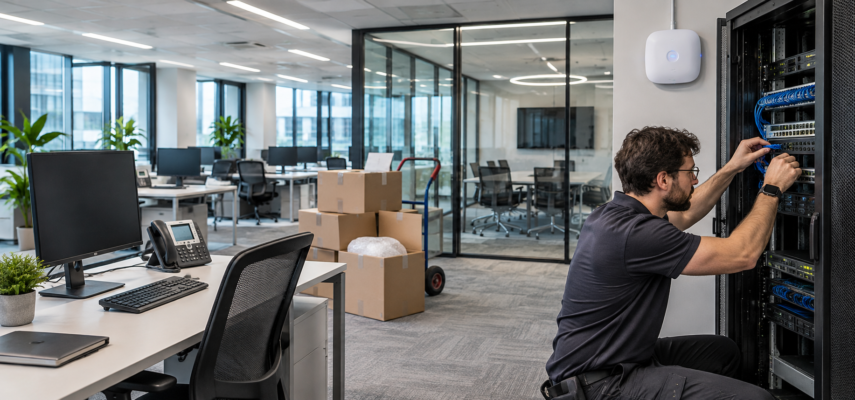
Before moving to a new office, you need to plan everything to ensure that your staff can get to work with minimal disruption. You need to set up reliable IT infrastructure including, internet connection, network hardware, communication, security and staff devices. This will help to avoid any issues when moving and mean your staff can get back to their roles as quickly as possible. Having a plan in place will also help to identify any outdated hardware that you may have.
Identify IT requirements for your business
The first thing you need to do is identify what your business currently has for IT infrastructure and what you will need in your new office. Consider how many staff you will have, what devices they will be using, what applications they will rely on and what internet/network requirements you will have. If your organisation regularly uses video conferencing or sends large files then you may want to consider a faster internet connection. You also need to consider what devices you currently have in place that you can move to your new office and what you need to replace or upgrade.
Take into account how your staff will be set up in your new office. If you have a number of workstations, meeting rooms, a reception and shared areas you may need to consider what internet connection they will need. Identify what workstations will need a wired connection, what will need wireless and what devices will need printers. This will help you plan where you will need to install network sockets, wireless access points and network cabinets. For businesses relocation, coordinating the move with movers Winnipeg can also help ensure office equipment is transported to the new location. This will also help to avoid any costly changes to your infrastructure once your staff are in the new office.
Set up internet/network
Most modern businesses will require a reliable internet connection. If you use cloud based applications, remote working tools and online communication then contacting your internet providers well in advance will help you find the best business deals for you. If you have high bandwidth requirements then fibre may be a good option for you. Smaller offices may be able to cope with other business broadband options. Consider upload speeds, contracts and technical support.
Once you have your internet sorted you will need to Set Up Your network. Install routers, switches, wireless access points and ethernet cables. Ensure your network hardware is placed in a secure, well ventilated area with enough room to allow for maintenance and future growth. Wireless access points should be placed to ensure you have good coverage throughout your office. Test your network to ensure there are no issues with signal strength, connections and device setup.
Set up hardware and communication
Create a list of the computers, monitors, printers, phones, servers and other devices your staff will require. Check each one to see if they are still suitable, need maintenance or if they need replacing. Label any devices you will be moving so they are easier to install. When relocating an office in Edmonton, coordinating equipment transportation with a moving company can help ensure your hardware arrives ready for installation. Ensure your staff have all the accessories, cables, docking stations and peripherals they will need.
If you are using VoIP, ensure your phones are compatible with the new network and that you have enough bandwidth for multiple calls. Check meeting rooms to ensure you have the correct devices for video conferencing, microphones, screens and presentations. Ensure you can still access your email, collaboration tools and shared documents. Testing everything in advance will help to ensure your staff can communicate with colleagues, customers and suppliers with minimal disruption.
Cyber security
Ensure that you implement the correct cyber security measures within your new office. Set Up Your firewall, wireless security and ensure you have a separate network for your staff. Enable strong passwords and multi factor authentication on your business accounts, especially if they provide access to sensitive information. Review your access rights to ensure your staff can access what they need to do their role.
Ensure you back up any important files and systems. This will help to ensure you can recover any important information if needed. If your office has servers, network devices and confidential documents then you should ensure they are secure. Limit access to your devices rooms and ensure your devices are secure whilst moving to reduce the risk of unauthorised access, theft and damage.
Set Up Your infrastructure
Ensure all your main IT systems are installed and tested. This includes your internet speed, wireless, wired connections, printers, phones and access to your key applications. IT staff should test different workstations and meeting rooms. Any issues should be noted and resolved.
Inform your staff about any changes to your network, phone numbers, devices and IT support. Having a point of contact for your IT will help to resolve any issues with setting up your devices. Having a clear process will help to reduce any downtime and prevent small issues from affecting your whole workforce.
Conclusion
Setting up your IT infrastructure will require some co-ordination. By identifying your business requirements, setting up reliable connections, setting up your devices, implementing security and ensuring key systems are working, you will make the move easier. By completing everything in advance your staff will be able to get used to their new working environment with minimal disruption and you will have a reliable technological set up in place.