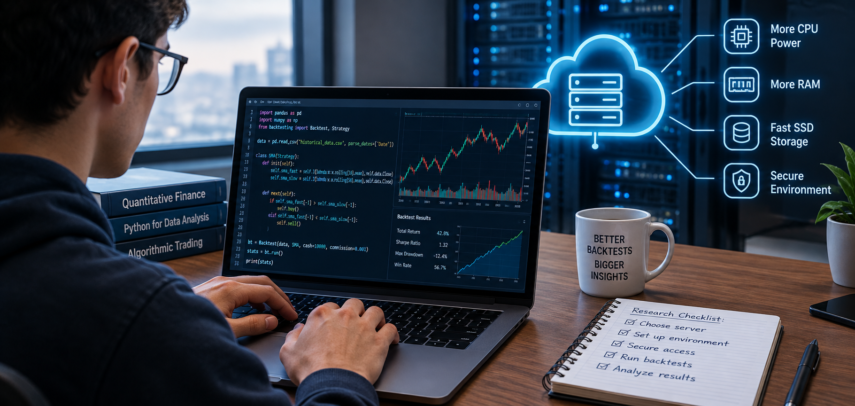

Quantitative trading tests investment methods utilizing historical market data. These tasks let finance, math, computer science, and data analysis students test trading rules across diverse market scenarios. Backtesting shows if a plan would have worked in the past, but it does not predict future profitability. Computations may be less convenient on home computers for more and more complicated applications.
Students who require processing power but don’t want to buy equipment can rent a remote server. You can run programming, data processing, and prolonged studies on virtual private servers and cloud workstations. Students can compare cheap infrastructure and save on hosting services using InterServer deals from HostAdvice. Think about the technology, security, and continuing costs of quantitative research before buying a server.
Why Backtesting Might Need More Computing Power
A laptop can execute a basic trading strategy with one stock and several technical indicators. Advanced studies may require thousands of stocks, years of historical data and repeated simulations with varying settings. These investigations can be memory and CPU heavy, especially when done simultaneously. Students may need to work with huge data sets before they can assess their strategies. These activities are performed on a remote server, which provides specialized resources freeing a PC. Real-world speed gains rely on server characteristics and efficiency of the backtesting software.
Choosing a Server for Quantitative Research
Identify the needs of your study endeavor before you select a rented server. Pandas, NumPy and Python backtesting frameworks have different memory and processing demands based on the dataset size and the complexity of the technique. Students should check for CPU, RAM, storage, and OS compatibility. Fast solid-state storage is good for reading huge historical pricing datasets several times. VPS could be suitable for simple applications, expert computing services for more complicated simulations. Start with minimum requirements and scale as needed to avoid paying for unneeded capacity.
Setting Up a Secure Research Environment
For safe research, students should install programming tools and develop a robust working environment on a server. Create Python virtual environments to isolate program requirements and avoid package conflicts. Remote SSH requires strong authentication and access control. Operating systems and apps must be updated for security. Students should back up important data, programs, and research results. Please check the licensing before uploading commercial market data to an external site. Research file protection keeps long-term experiments going.
Common Backtesting Mistakes to Watch Out For
More computational power speeds up experiments but doesn’t guarantee accuracy. Quantitative trading students must evaluate transaction costs, market conditions, and data limitations. Backtesting new knowledge-based strategies can be profitable. Overfitting and incorrect conclusions might result from testing multiple parameter combinations. Students should backtest their strategies over various periods and analyze transaction cost and execution price assumptions. Documenting the approach makes research reproducible and reveals shortcomings before strategy forecasting.
Tips to Lower Student Server Costs
Computer rental costs are recurrent, therefore students should consider how often they will use the server. Monthly subscriptions are best for frequent testing, flexible hourly billing for infrequent project simulation. Consider computing, storage, backup, and data transfer expenses when choosing a service. Some platforms allow customers to temporarily increase server capacity for complex calculations. Students should evaluate existing programs and eliminate unnecessary files to save bandwidth. Cancel subscriptions to save money and download results after assignments. Budgeting can teach remote computing and minimize quantitative research costs.
Image attributed to Pexels.com